
Troubleshooting ROE Not Issued EI Data Missing Error
GOAL: To provide a wholistic overview of how to troubleshoot EI Data Missing for Posted Timesheet error for a certain date in Print ROE > ROE Not Issued Report.

PROCESS OVERVIEW
PAYROLL > ROE > PREPARE OR REDO EMPLOYEE ROE
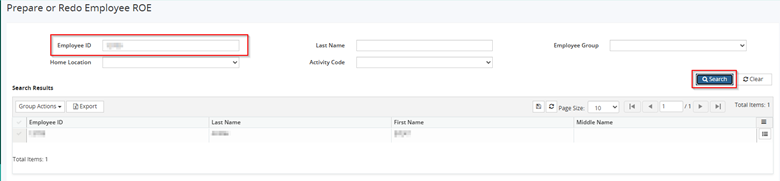
**Search EID in question > Action icon > Modify**
Sample EID > Choose NEW ROE

**Choose New to Prepare Employee ROE**
Configure Employee ROE as per user
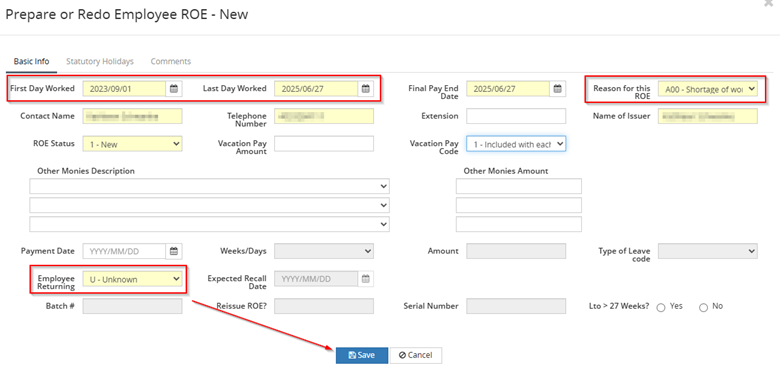
**Configure Employee ROE, Reason and Returning**
Note: When an Employee ROE First Day extends beyond the current year, this would imply it is the Employee’s first ROE. This is because the ROE must always go back to the Original Start Date.
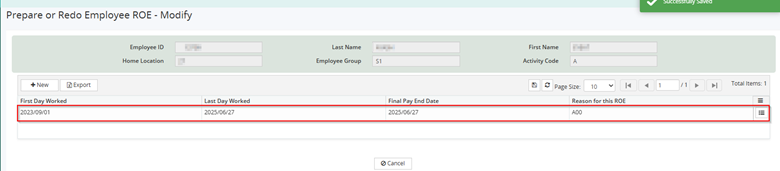
Save > See the completed Employee ROE Record
PAYROLL > ROE > PRINT ROE > Submit Mode = Draft

**Submit**
REPORTS > PROCESS REPORTS > PRINT ROE > ROE NOT ISSUED
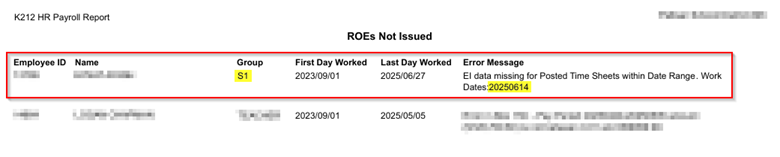
**EI Data error for specified date under Sample EID on specified EMP_GROUP**
PAYROLL > PAY PROCESS > EI ADJUSTMENT > EID
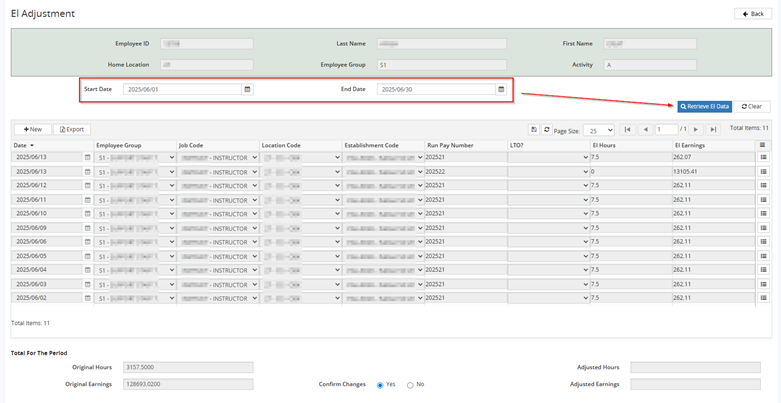
**Configure appropriate date range**
Date In Question = Noted in ROE Not Issued Error

**The system is telling us there is no June 14th EI when there should be**
IMPORTANT NOTE: It is important to note that this would have been on the message log in the pay run when completed at the time.
Message Logs contain important pay period information and warnings that should be reviewed during each Pay period – this EI discrepancy warning would have been noted and could have been fixed ahead of time.
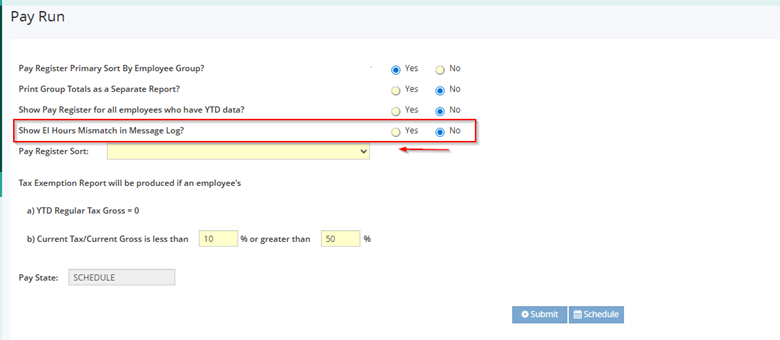
**Choosing Show EI Hours in Message Log = Yes allows this to be tracked and monitored on a per pay period basis**
ROOT CAUSE: 2025/06/14 is not under Employee ID Records
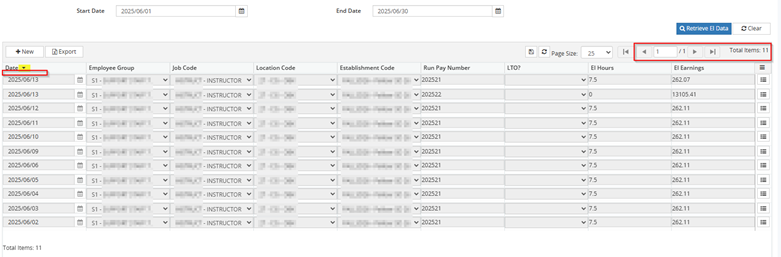
**FIX = Entering 2025/06/14 EI Hours and Earnings record would reconcile the ROE Error**
PAYROLL > PAY INPUTS > TIMESHEET > TIMESHEET QUERY
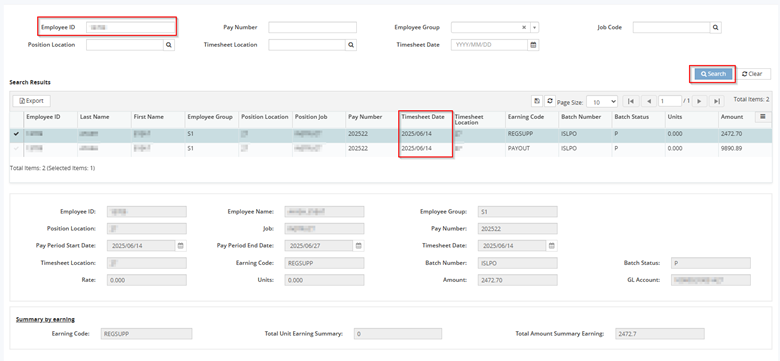
**Timesheet DOES exist for 2025/06/14 under Sample EID**
Note: This verifies the need for EI Hours and Earnings record under EI Adjustment module.
Additional Note: No Units here for these records --- this means the EI hours are not being counted here, its just looking at dollar amounts
PAYROLL > GROUP DATA > OT and SHIFT RATE > S1
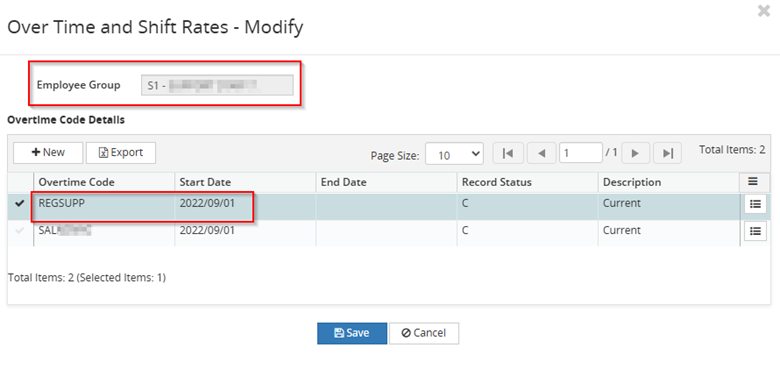
**Earning Code = REGSUPP is defined under EMP_GROUP**
Note: These are the Payout/Earning Codes that are EI Applicable, which are defined in this module.
- This means we are dealing with the REGSUPP code for the ROE Error
Additional Note: This can depend upon board configuration – but if the secondary Timesheet from 2025/06/14 under Earning Code = PAYOUT was meant to be insurable, this Code should be added above.
PAYROLL > GROUP DATA > SUBJECT ENTITY MAINTENANCE
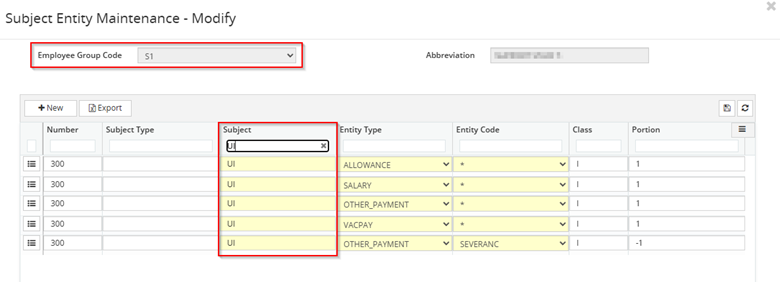
**EMP_GROUP > Subject Entity Maintenance > EI configuration checks out**
PAYROLL > PAY PROCESS > EI ADJUSTMENT > EID > Enter EI for 2025/06/14
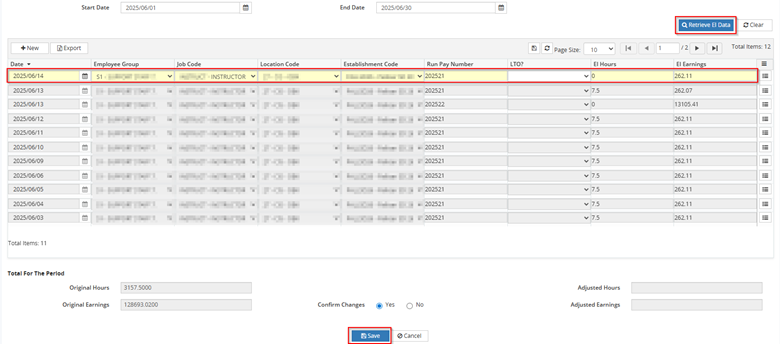
**Add EI Adjustment for 2025/06/14**
PAYROLL > ROE > PRINT ROE > Submit Mode = Draft

**Submit**
REPORTS > PROCESS REPORTS > PRINT ROE > ROE NOT ISSUED

**Sample EID error on EI Data is now gone**
REPORTS > PROCESS REPORTS > PRINT ROE EXPORT
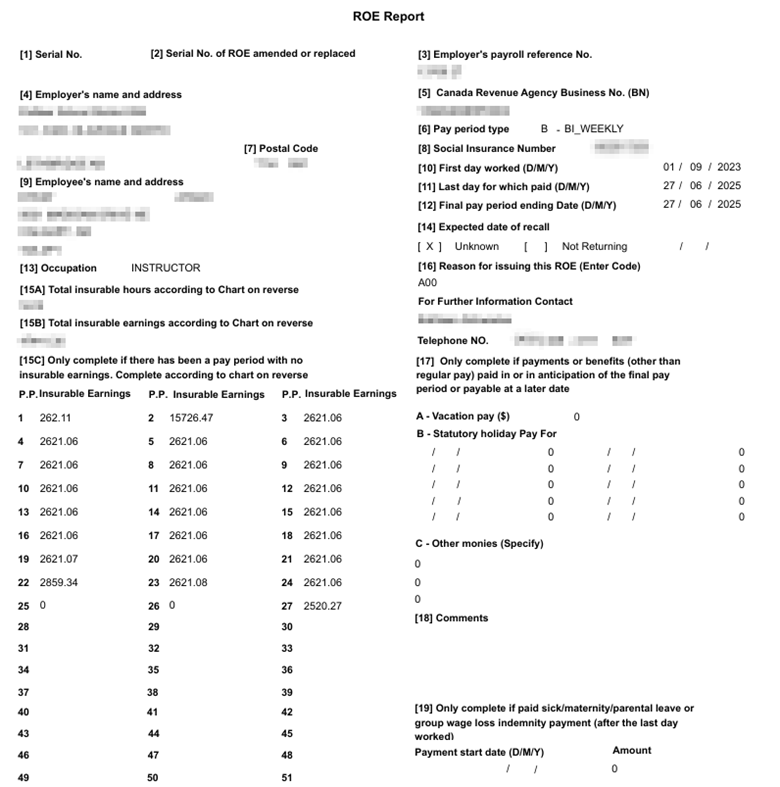
**ROE Generates**
Important Best Practices Going Forward:
Going forward, the most important consideration would be if the Codes need the Hours to be Insurable or not.
If these codes need the Hours entered from these codes to be Insurable - then it HAS to be in OT & Shift Rates.
Then once the code is in OT & Shift Rates the pay run can take the Hours from the Timesheet and translate it into insurable earnings on the ROE.
If the Hours should NOT be Insurable, then it should not be added in OT & Shift Rates and the Insurable Hours will be ignored on the pay run.
What we are doing here is adding an EI Record for the Insurable EARNINGS but with the Hours = 0.