
ISSUE: How to reset the timing of reminder emails for requisition approvals
Ticket | 147489 |
Error | N/A |
Causes | N/A |
Solution | See below |
Error Message:
Solution:
A ticket was logged asking how to change the daily emails that are sent to requisition approvers if they have approvals pending. Below are the steps to achieve this.
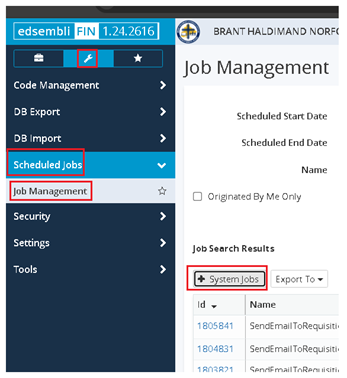
- Go to System Menu, Scheduled Jobs, Job Management and then click on + System Jobs
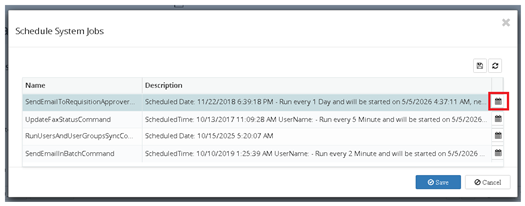
- Click on the calendar icon on the far right of the SendEmailToRequisitionApprover line
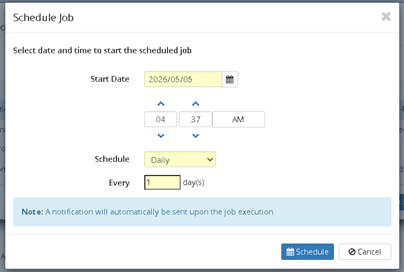
- Change the time as needed and click Schedule
Step 1
Step 2:
Step 3:
Please log a ticket with Edsembli FIN if you have any questions, comments or concerns with the above.